User dashboard
The user dashboard is the landing page of Eclipse Che where users create, manage, and access their workspaces. It coordinates with the Che server, plug-in registry, and Kubernetes API to convert devfiles into running workspace pods.
This page is for platform administrators and developers evaluating Che as a cloud development platform. To learn more about common roles and example tasks referenced in Che documentation, see Common user roles and tasks.
The user dashboard is the landing page of Eclipse Che.
Che users browse the user dashboard to access and manage their workspaces.
It is a React application.
The Che deployment starts it in the che-dashboard Deployment.
It needs access to:
-
Kubernetes API
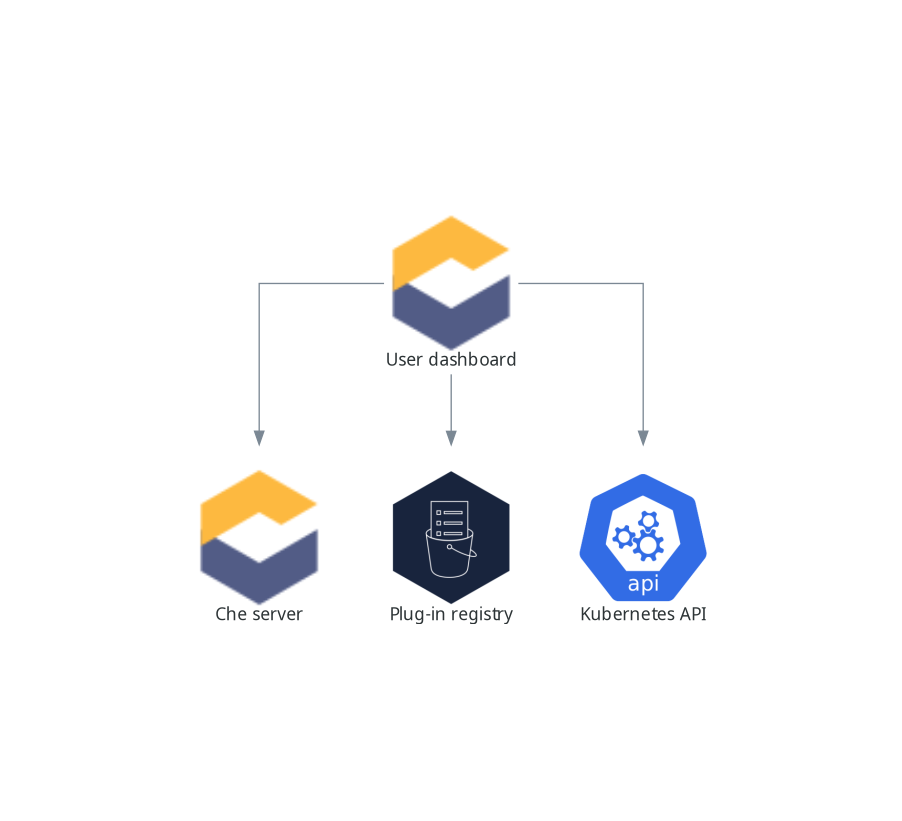
When the user requests the user dashboard to start a workspace, the user dashboard executes this sequence of actions:
-
Sends the repository URL to Che server and expects a devfile in return, when the user is creating a workspace from a remote devfile.
-
Reads the devfile describing the workspace.
-
Collects the additional metadata from the Plugin registry.
-
Converts the information into a DevWorkspace Custom Resource.
-
Creates the DevWorkspace Custom Resource in the user namespace using the Kubernetes API.
-
Watches the DevWorkspace Custom Resource status.
-
Redirects the user to the running workspace IDE.